
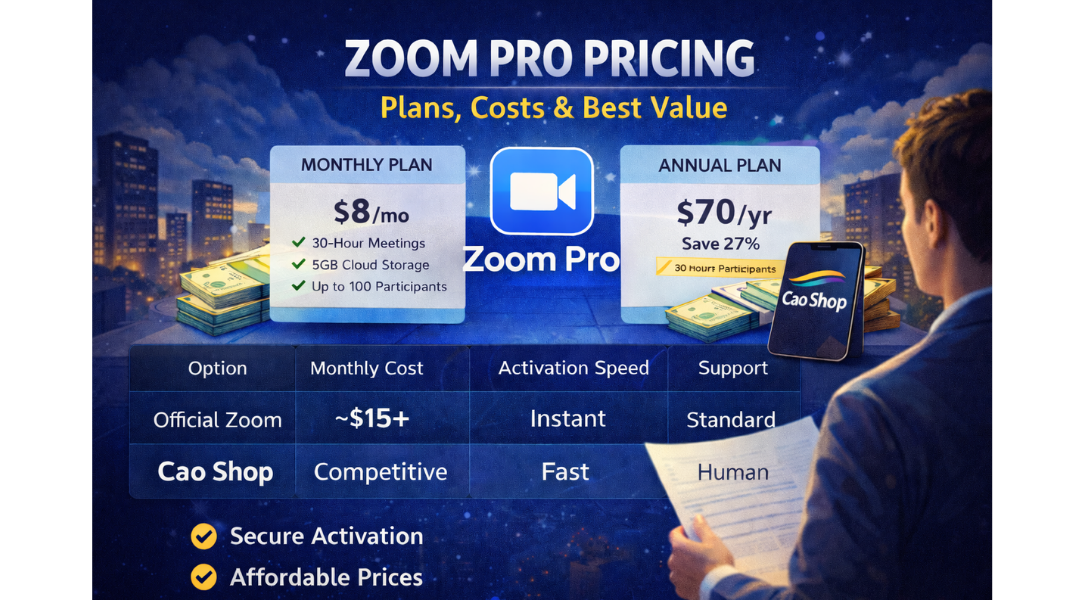
Explore Zoom Pro pricing, monthly and annual costs, included features, and how to get the best value with secure activation through Cao Shop.
Zoom Pro Pricing: Complete 2026 Guide
If you’re researching Zoom Pro pricing, you’re likely hitting the 40-minute meeting limit or planning to host professional sessions. Whether you're a freelancer, startup founder, online coach, or corporate manager, understanding the real cost of Zoom Pro—and whether it’s worth it—is critical.
This guide breaks down official pricing, hidden costs, and smarter ways to activate Zoom Pro securely while optimizing your budget.
What Is Zoom Pro?
Zoom Pro is the upgraded subscription tier from Zoom Video Communications designed for professionals and small teams.
It removes the 40-minute meeting cap and unlocks advanced features such as:
-
Up to 30-hour meetings
-
100 participants per session
-
5GB cloud recording
-
Reporting dashboard
-
Admin controls
-
Custom meeting IDs
For businesses that rely on remote communication, Zoom Pro is often the minimum viable plan.
Zoom Pro Pricing (Official Breakdown)
Let’s address the core question: How much does Zoom Pro cost?
According to official pricing:
-
Monthly Plan: ~$14.99–$15.99 per user/month
-
Annual Plan: ~$149.90–$159.90 per user/year (billed upfront)
Pricing may vary slightly by region (US, UK, AU, CA, Global markets).
This means if you pay monthly, you’ll spend around $180–$192 per year.
Zoom Pro Monthly vs Annual Plan
Understanding Zoom Pro pricing requires comparing billing models.
Monthly Plan
✔ Flexible
✔ Cancel anytime
✘ Higher total annual cost
Annual Plan
✔ Lower effective monthly rate
✔ Better for long-term users
✘ Requires upfront payment
If you plan to use Zoom Pro for 6+ months, annual billing is typically more cost-effective.
Zoom Pro vs Basic: Is the Upgrade Worth It?
| Feature | Basic | Pro |
|---|---|---|
| Group Meeting Limit | 40 mins | 30 hours |
| Participants | 100 | 100 |
| Cloud Recording | ❌ | 5GB |
| Reporting | ❌ | ✅ |
| Admin Controls | Limited | Advanced |
If you're hosting paid webinars, online classes, or client consultations, losing connection at 40 minutes is unprofessional. For revenue-generating meetings, Zoom Pro pays for itself quickly.
Hidden Costs & Add-Ons
When evaluating Zoom Pro pricing, consider additional expenses:
-
Large Meeting Add-On (up to 500 participants)
-
Webinar license
-
Extra cloud storage
-
Additional host licenses
For teams of 5–10 members, costs multiply quickly.
This is why many professionals look for optimized purchasing solutions rather than paying full regional retail rates.
Zoom Pro Pricing Comparison Table
| Option | Monthly Cost | Annual Cost | Activation Speed | Support |
|---|---|---|---|---|
| Official Zoom | ~$15 | ~$150 | Instant | Standard |
| Cao Shop | Competitive | Competitive | Fast | Direct human support |
Cao Shop provides:
-
Affordable pricing
-
Secure account setup
-
Fast activation
-
Reliable customer support
For users in Vietnam and international markets, this simplifies payment and setup—especially when dealing with international billing barriers.
Who Should Upgrade to Zoom Pro?
Zoom Pro pricing makes sense for:
-
Online educators
-
Remote sales teams
-
HR interviewers
-
Marketing agencies
-
Event organizers
-
Coaches & consultants
If meetings directly impact revenue or brand reputation, upgrading is a strategic decision.
How to Get the Best Zoom Pro Price
Here are practical strategies:
-
Choose annual billing if long-term use is planned
-
Avoid unnecessary add-ons
-
Centralize team licenses
-
Compare trusted resellers
Cao Shop specializes in premium software accounts including Zoom Pro, offering:
-
Fast activation
-
Secure setup
-
Competitive pricing
-
Reliable assistance
Instead of navigating payment friction or currency conversion issues, users get streamlined onboarding.
Pros & Cons of Zoom Pro
Pros
-
No time limits
-
Professional-grade features
-
Reliable platform
-
Secure cloud recording
-
Strong global infrastructure
Cons
-
Recurring subscription cost
-
Add-ons increase total price
-
Overkill for casual users
Addressing Common Concerns
Is Zoom Pro worth it for small teams?
Yes. The removal of time limits and recording capabilities dramatically improves productivity.
Is pricing the same worldwide?
No. Regional taxes and currency adjustments apply.
Is it safe to buy from a third-party provider?
Choose trusted providers with transparent support. Cao Shop focuses on secure activation and reliable account management.
FAQ (Schema-Ready)
How much is Zoom Pro per month?
Zoom Pro costs approximately $14.99–$15.99 per user/month when billed monthly.
Is Zoom Pro cheaper annually?
Yes. Annual billing reduces the effective monthly cost compared to month-to-month billing.
Does Zoom Pro include webinar features?
No. Webinar functionality requires a separate add-on.
Can I cancel Zoom Pro anytime?
Monthly plans can be canceled anytime. Annual plans are prepaid.
Is Zoom Pro enough for business use?
For small to mid-sized teams, Zoom Pro is typically sufficient. Larger organizations may need Business or Enterprise plans.
Suggested Internal Link Anchors
-
buy Zoom Pro plan
-
ChatGPT Plus account subscription
-
Canva Pro pricing guide
-
CapCut Pro premium plan
Suggested External Authority References
-
Official pricing page from Zoom Video Communications
-
Remote work productivity reports (McKinsey)
-
NIST video conferencing security guidelines
Final Recommendation
Understanding Zoom Pro pricing helps you make a smarter financial decision.
If your meetings generate revenue, support clients, or represent your brand—Zoom Pro is a professional necessity.
For users seeking:
-
Competitive pricing
-
Secure activation
-
Fast setup
-
Reliable human support
👉 Cao Shop provides a trusted and efficient way to activate Zoom Pro without unnecessary friction.